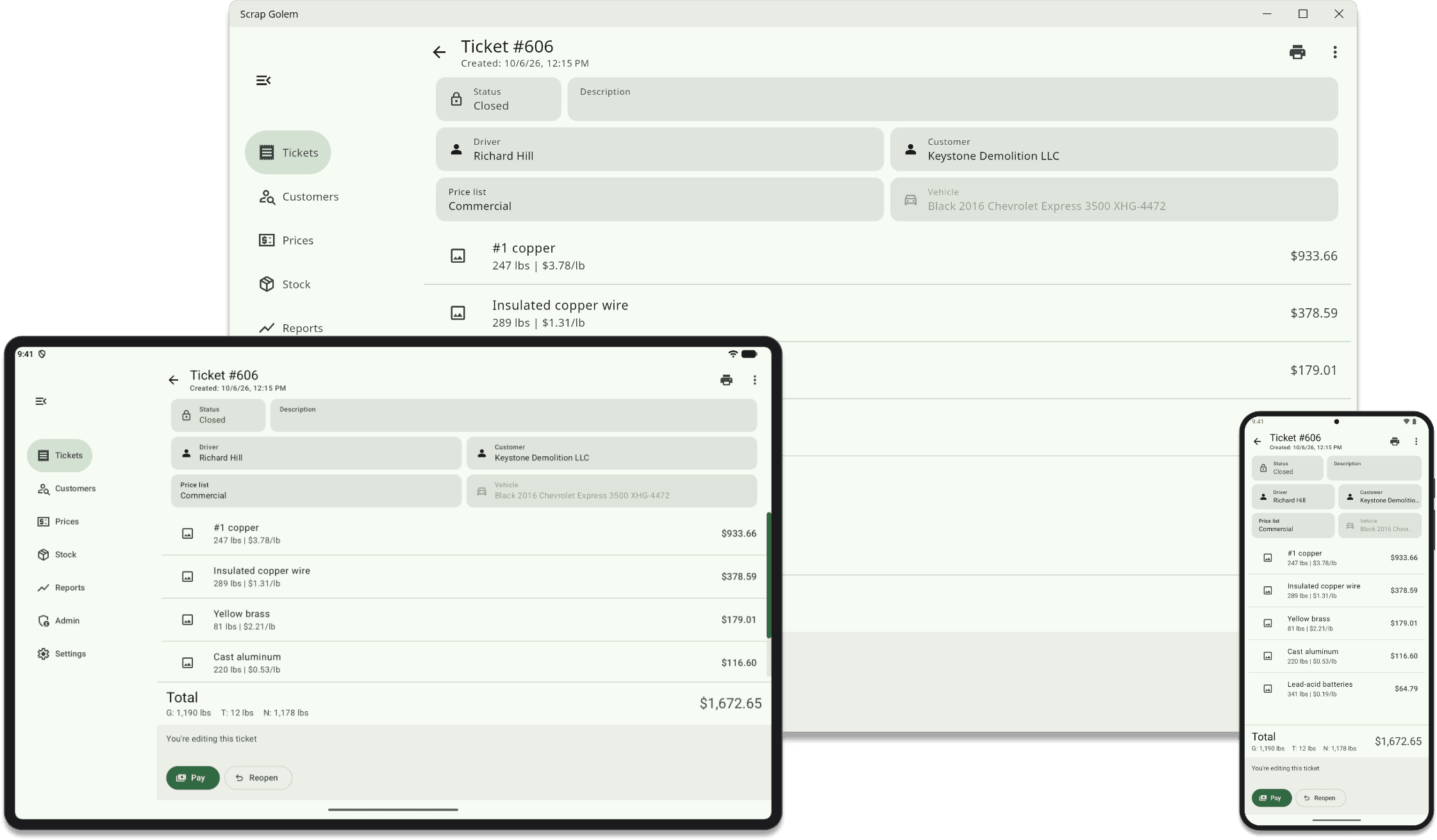
There's no special hardware to buy, setup fees to pay, or outrageous markup on off-the-shelf hardware. Works on any Android, Windows, or Linux device.
Scrap Golem runs on hardware you can buy at any electronics store, or that you may already own. Mix tablets and computers however suits your yard.
One ticket, three devices: the layout adapts to whatever screen you're using.
Supported platforms
Android tablets and phones running Android 9 or later. We recommend the Samsung Galaxy Tab A11+ or A11. Install from Google Play, or directly from our download page if your devices don't use Google Play.
Windows PCs, with a standard installer.
Linux PCs, as a .deb package or an AppImage.
Every version keeps itself up to date, and you can opt in to beta releases to try new features early. The app is available in English and Spanish, with light and dark themes.
Works with the equipment you know
Scales: network-connected indicators using the SMA, Mettler Toledo MT-SICS or ENQ polling protocols.
Receipt printers: Star Micronics printers such as the TSP100, TSP650, TSP743 and mC-Print3, plus any regular office printer.
Label printers: networked Zebra label printers, such as the ZD421 and ZD621.
Cameras: the device's own camera, USB webcams, and IP cameras, which Scrap Golem can find on your network automatically. We support all Axis Communications cameras and recommend the Axis M2036-LE.
ID scanners: Zebra barcode scanners, or the tablet's camera.
Signature pads: Wacom STU and Topaz pads on Windows and Linux, or sign on any touch screen.
Fingerprint readers: the SecuGen Unity 20 Bluetooth, on Android.
Badge readers: NFC badges, read by the tablet or by an ACS reader.
See the full requirements, or ask us about the equipment you already have.
No setup fee
Because Scrap Golem doesn't need special hardware, there's nothing to buy from us and no setup fee. If you replace a device, install Scrap Golem on the new one and sign in.
See it at your yard
We'll walk you through Scrap Golem with your own workflow and equipment in mind.